Turn useful language into vocabulary you can actually use.
Save the words and expressions you meet in articles, videos and conversations. Lexycraft keeps them in one Library and trains them in stories, roleplays and a few minutes a day, until they come naturally.
iPhone and Android apps coming soon. Free on the web today.
For learners of English, French, Spanish, German, Italian, Portuguese and Dutch.
You understand a lot. But the right words still hesitate.
You follow articles, videos and conversations without much trouble. Then it's your turn to speak or write, and you reach for the same safe words, explaining around the idea instead of using the expression you wanted.
Recognizing a word is one thing. Being able to use it is another.
- “I recognize it”You know it when you see it
- “I understand it”You've met it in real context
- “I can use it”It comes out when you need it
Go beyond collecting words. Start making them yours.
Traditional word lists
- Words collected without a clear learning goal
- Meanings learned without enough context
- Vocabulary that stays familiar but hard to use
- Words spread across lists, notes and apps
- Figuring out what to practice next
 Lexycraft
- Learn words from your interests, goals and content
- Understand words through meanings and real context
- Move from recognizing vocabulary to using it yourself
- Keep your vocabulary connected in one personal Library
- Get practice suggestions based on your learning
One loop for every useful word.
Wherever a word comes from, it lands in the same Library and moves through the same practice, so a few minutes anywhere keep building one thing.
One Library
Every step feeds it
- FindDiscover, extract, import or share
- SaveOne Library for every word
- UnderstandStories and the Reading Assistant
- UseRoleplays and your own sentences
- ReviewDaily and Quick Training
- TrackXP, daily goals and levels
…and back to Find.
Start with vocabulary that matters.
Bring in what you're already reading, watching or studying, or let Lexycraft suggest where to begin.
Extract
Turn articles, videos, PDFs or text into useful vocabulary with the original context preserved.
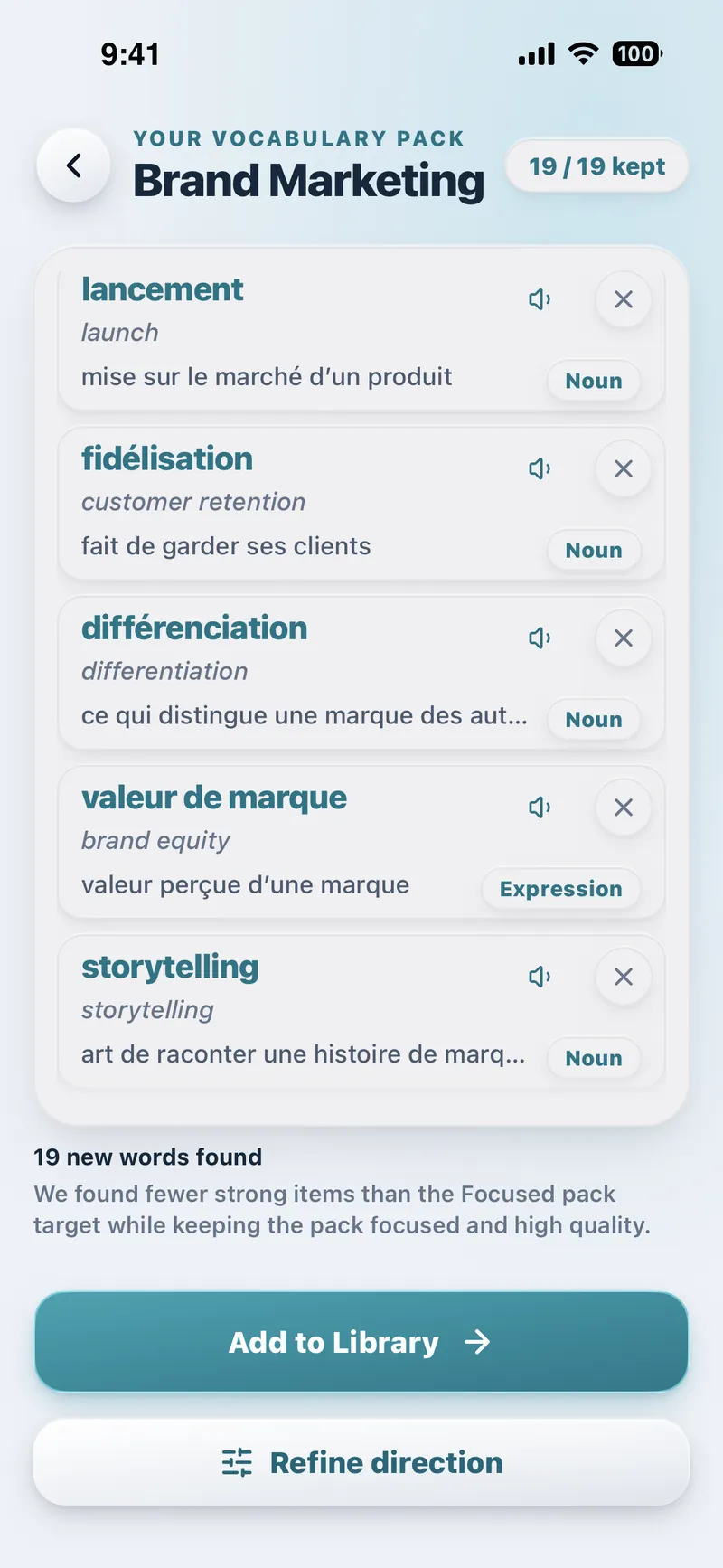
Vocabulary Pack
Describe what you need vocabulary for and review a focused Pack before saving anything.
Discover
Browse useful vocabulary by topic, reveal what matters, and save it.
Import a list
Already have vocabulary? Paste it and Lexycraft turns it into clean, ready-to-practice entries.
Share to Lexycraft
Send a passage or link from another app and work with it without interrupting what you're reading.
One Library. Every word you choose.
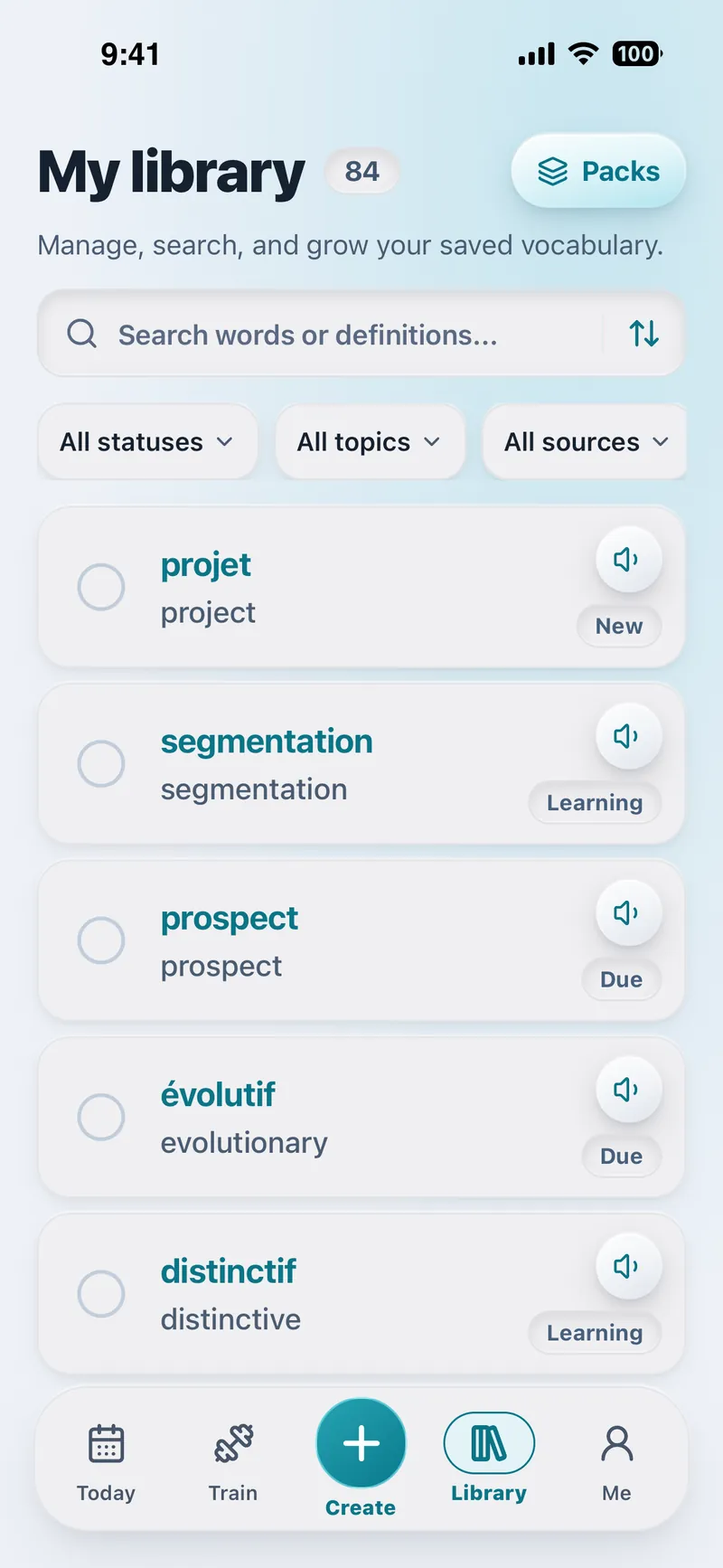
Everything you save keeps its meaning, an example sentence, its level and where you found it, plus an optional translation and pronunciation when you need them. One clean entry per word, always ready to practice.
Packs you can keep and share
Group words into Packs for a trip, a project or an exam. Share a Pack with a link, and whoever opens it can add their own copy to their Library.
Move from “I recognize it” to “I can use it.”
Read your words in a story written around them.
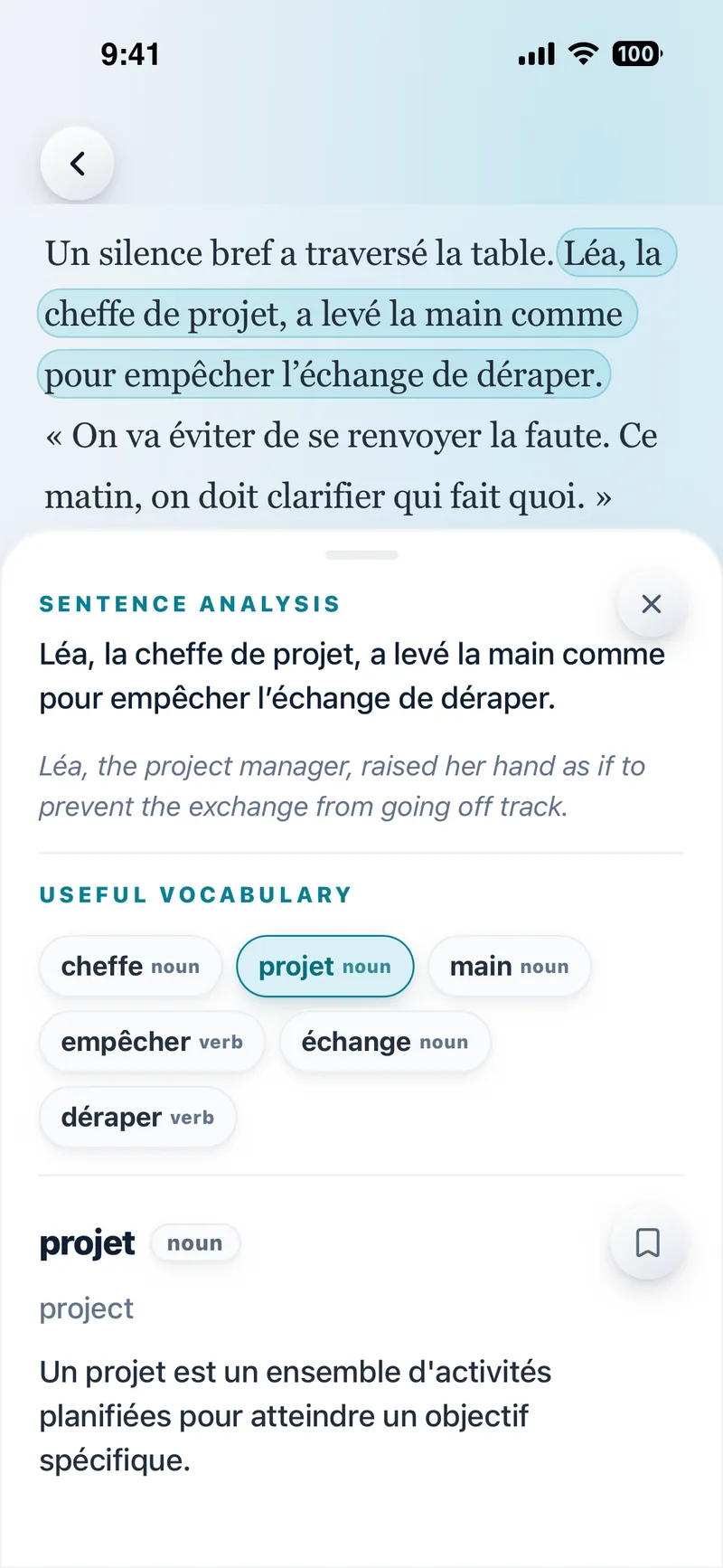
Lexycraft writes an original story around your saved words and highlights them in context. Tap any sentence for the Reading Assistant: a natural translation and the useful words worth keeping, one tap from your Library. Generate audio whenever you want to listen along.
Then put your words into practice.
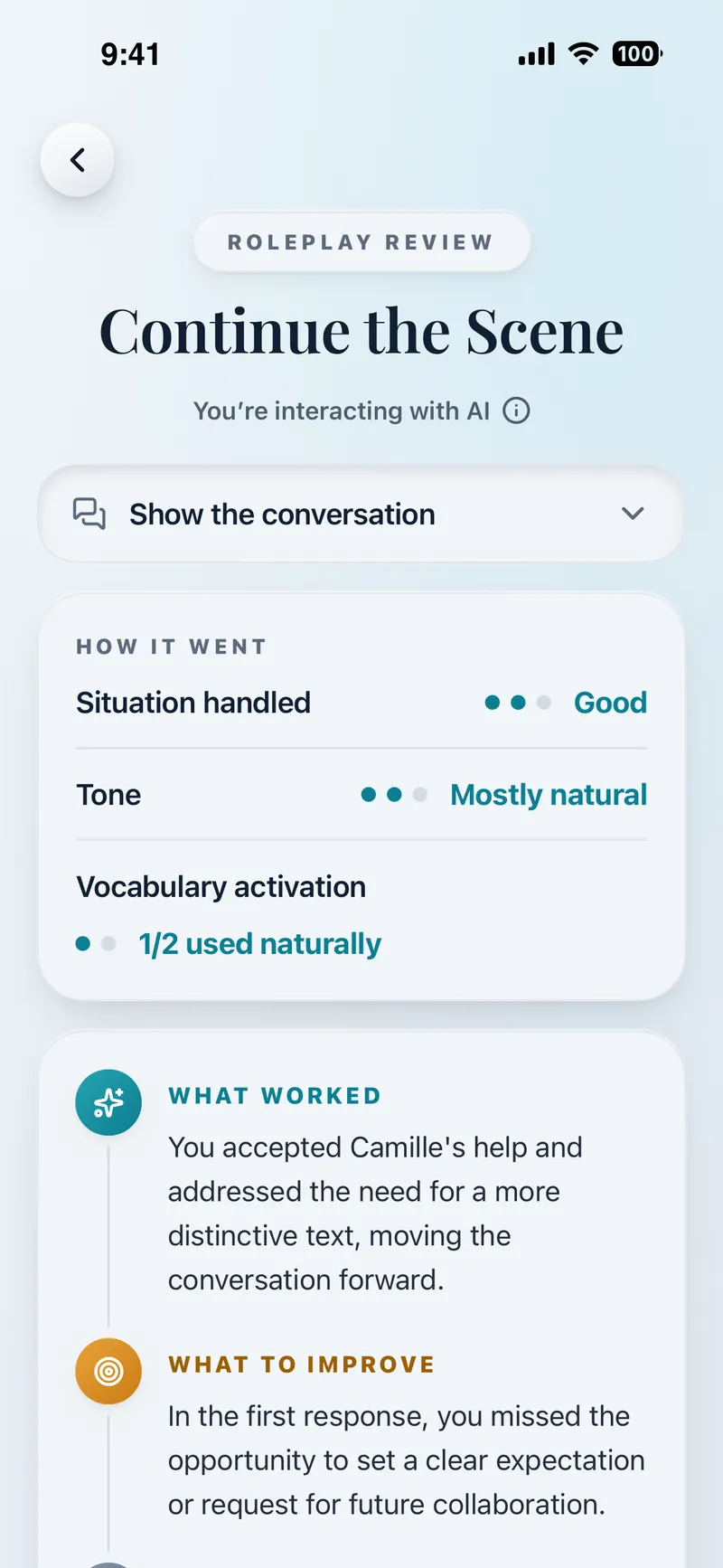
Step into a realistic scenario with an AI character. Type or dictate your responses, with suggested words when you're stuck, and get feedback on how you used your vocabulary, plus an improved version of your reply.
Short on time?
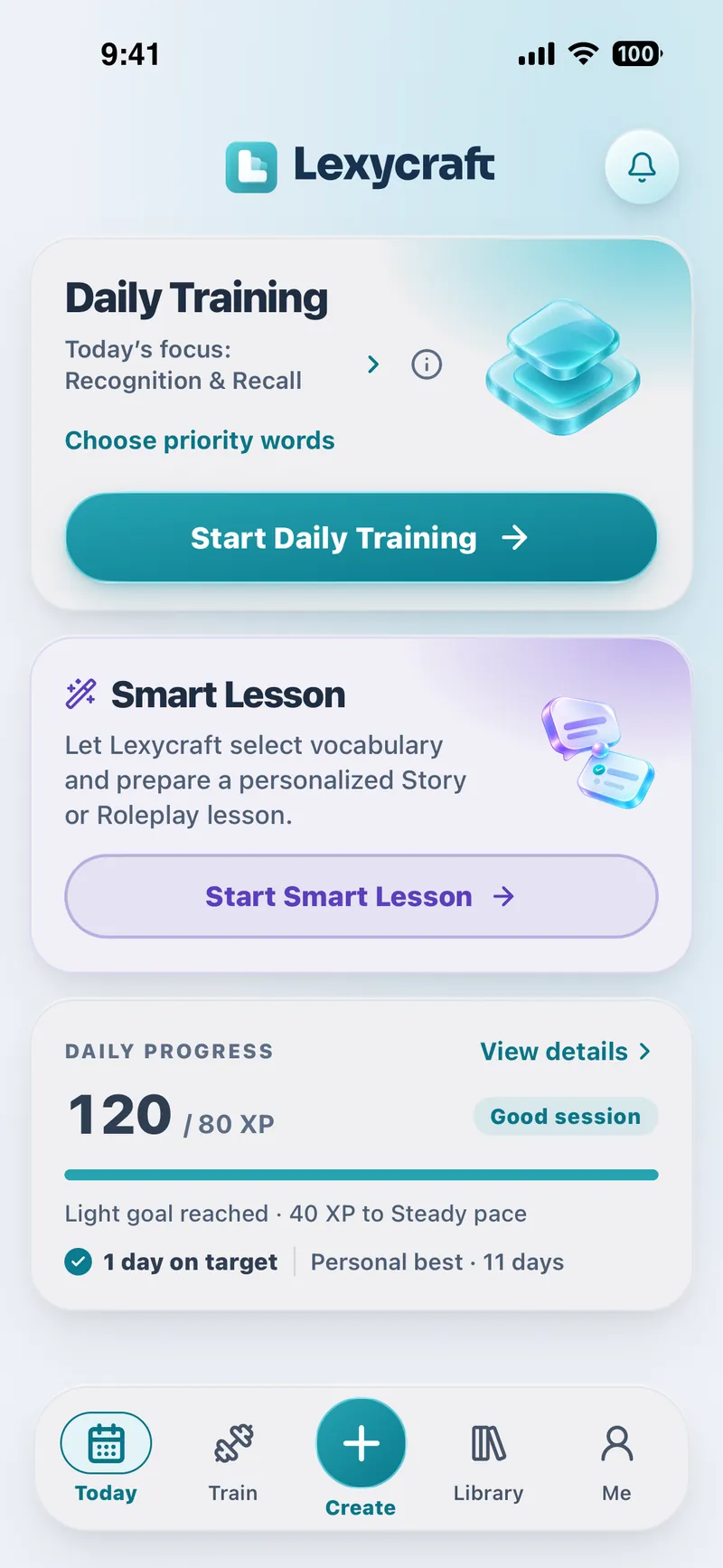
Smart Lesson picks the words and prepares a Story or Roleplay lesson for you.
Continue the Scene
MMaya
You’re interacting with AI
Discuss: Why the launch keeps slipping, and one change that would fix it.
We’ve missed another deadline. What do you think keeps going wrong?
Honestly, we keep putting off the hard tasks until the last minute.
MayaThat sounds familiar. So what would you change first?
Words you could use:
break the habitfall into a pattern
I’d break the habit of saving the hard parts for last.
How it went
- Situation handled
- Strong
- Tone
- Natural
- Vocabulary activation
- 2/2 used naturally
A few minutes a day keeps every word moving.
Daily Training
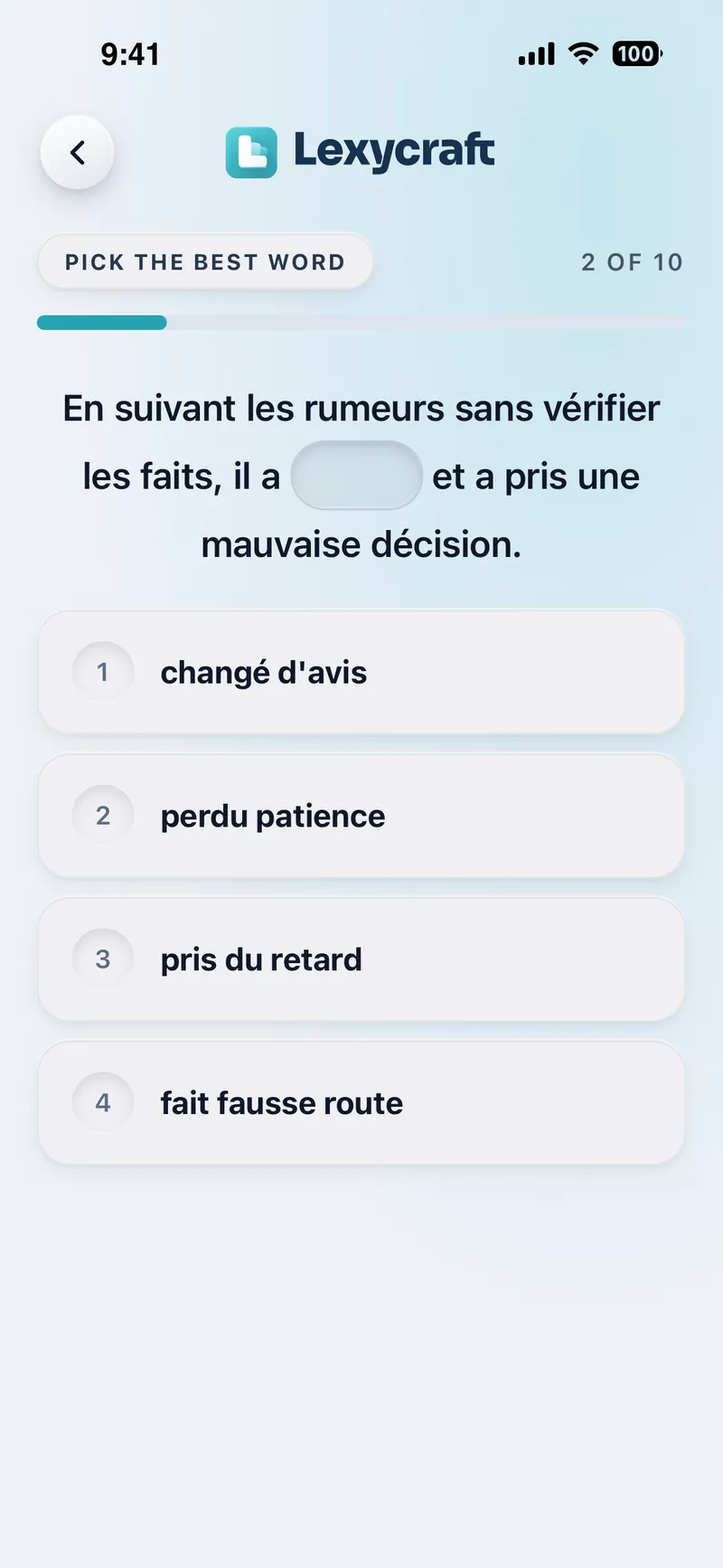
Ten words from your Library, chosen for you and trained across short exercises that move from recognition to recall and active use.
Quick Training
When you want something specific, pick one exercise: meaning, context, recall, phrase forms, real-world clues, or your own sentences.
Progress you can feel
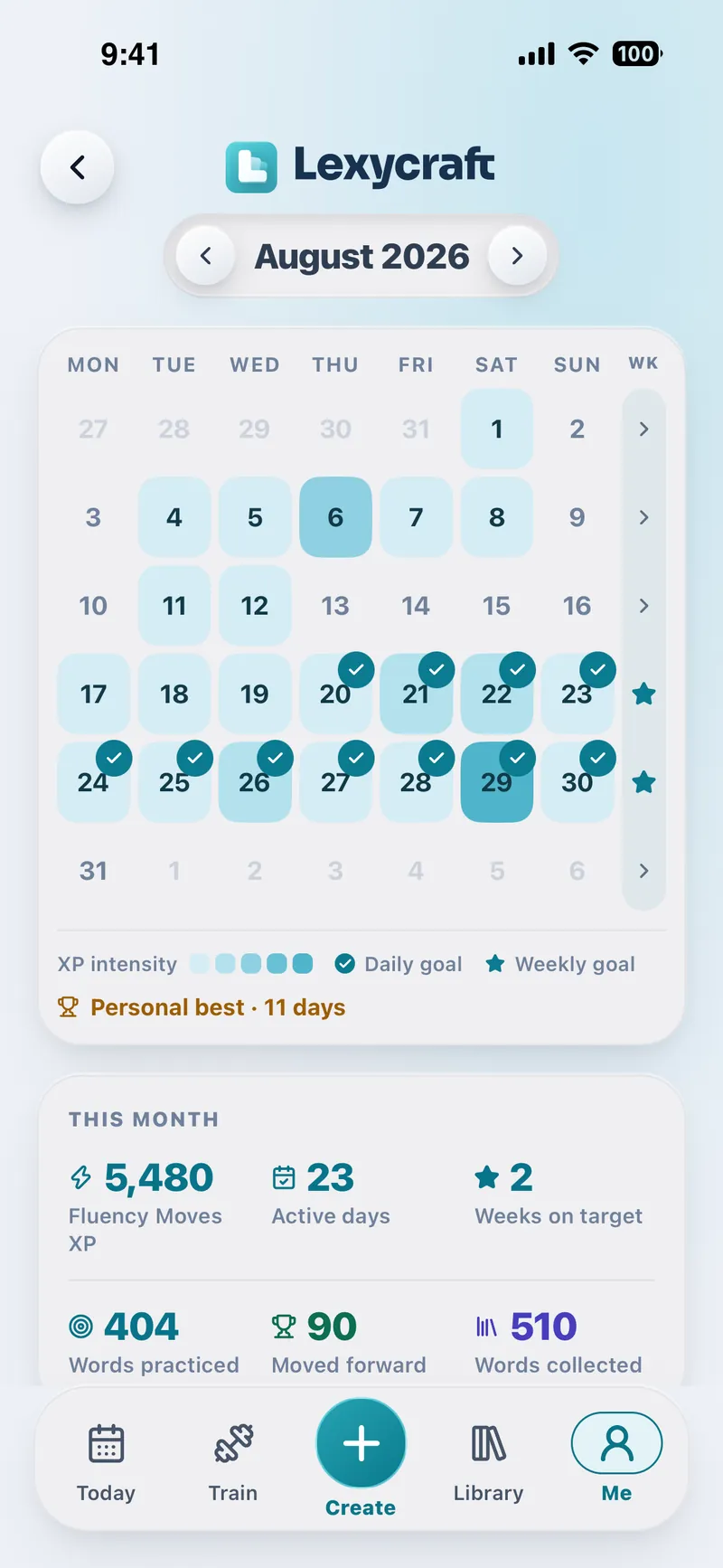
Practice earns Fluency Moves XP toward a daily goal you choose. Keep your days on target, climb through Lexycraft Levels, and see each day you practiced on your calendar. Words due for review show up as ready to practice, never as a backlog.
Built for learners beyond the basics.
Understand more of what you read and hear. Remember the words worth keeping. Find better ways to express what you really mean. Lexycraft helps you build the vocabulary that matters to your life, interests and goals.
Work
Say what you mean in meetings, emails and negotiations without falling back on safe words.
Study and exams
Turn course material and exam lists into vocabulary that lasts past the test.
Reading and watching
Keep the best expressions from the articles and videos you already enjoy.
Interviews
Walk in ready to express your ideas, with the vocabulary you've practiced, not just memorized.
Travel and moving abroad
Collect the language of real situations: renting, ordering, asking, settling in.
Everyday expression
Sound less like a textbook and more like yourself, one expression at a time.
Questions, answered.
What is Lexycraft?
Lexycraft is a personalized vocabulary learning app that helps you discover, understand, remember and actively use the words and expressions that matter to you. Build your vocabulary from content you explore, topics you're interested in or your own word lists. Then reinforce what you've learned through personalized stories, interactive roleplays and short training sessions.
Is Lexycraft a flashcard app?
No. Flashcards train recognition. Lexycraft is a complete loop: you collect useful language, keep it in one Library, meet it in stories, use it in roleplays and your own sentences, and review it in short daily training.
Who is Lexycraft for?
Lexycraft is designed for language learners ready to go beyond the basics. Whether you want to understand more challenging content, expand your vocabulary, make new vocabulary stick or express your ideas more precisely, Lexycraft helps you focus on the words that matter to you. From studying and working to traveling and everyday life, you choose what you want to learn.
What can I learn from?
Articles and YouTube videos (paste the link), text you paste in, and PDFs with selectable text. Some websites and videos don't allow access to their content; pasting an article's text is the most reliable option. You can also browse Discover if you're learning English or French, build a Vocabulary Pack for any topic, or import a list you already have.
What happens after I save a word?
It joins your Library with its meaning, an example, a level, topics and its source. From there it appears in stories, roleplays, Daily Training and Quick Training, and its progress is tracked as one word, from New to Learning to Mastered.
Does it only teach single words?
No. Phrasal verbs, idioms and fixed expressions are kept whole, because they're what make you sound natural.
Which languages can I learn?
English, French, Spanish, German, Italian, Portuguese and Dutch. Translations are available in the other six, and the app itself is available in all seven languages.
Is Lexycraft on iPhone, Android and the web?
Lexycraft works in your browser today at app.lexycraft.com. The iPhone and Android apps are coming soon, and they use the same account, so your Library and progress carry over.
Is Lexycraft free?
Yes. Lexycraft currently has no subscription, paid plan or in-app purchase.
Does Lexycraft replace real conversation?
No. It prepares you for it. Roleplays are practice with AI, not a substitute for people. The goal is that the right words are ready when the real conversation happens.
More questions? Visit Help & support
Build vocabulary from the language you actually meet.
Start on the web today. The iPhone and Android apps are on their way. Same account, same Library.